.jpg)
Watched on MPEG 👁️ Trailer on YouTube
The.jpg)
Some good ghost-out-of-the-shadows creeps, but otherwise nothing special.
The teenage lead actress was dull.
Watched on Amazon Prime 👁️ Trailer on YouTube
.jpg)
Nothing to write home about with this one, but an interesting thing happened with my dog while watching: She reacted more to this movie than I've ever seen her react to anything on the television before, lol. Specifically to the "David" ghost voice scenes, and the graveyard with the dog barking the whole time. She was very concerned 🤔😆
Watched on Tubi 👁️ Trailer on YouTube
.jpg)
I'll tell you the same thing that was told to me: Don't look up anything about this movie, don't watch the trailer, just go into it cold with no information and no expectations.
Watched on Tubi 👁️ Trailer on YouTubeNOPE
.jpg)
Thanks to Reddit & FB groups decrypting the vague recollections I posted, I was directed to this movie that I misremembered as High Tension (wow they're very different).
I'm glad I was able to watch this again, it's disturbing but very good. The directorial style is really cool, surreal, disorienting, frightening, and Elizabeth Olsen gives a fantastic performance.
Watched on MAX 👁️ Trailer on YouTube
.jpg)
I'm now among the throngs of horror fans who were unimpressed with this remake. The recasting of Freddy didn't bother me -- it was inevitable with an aging Robert Englund -- but their casting choice was poor, IMO. Jackie Earle Haley is not physically imposing, nor does he have the commanding screen presence necessary for the role. His voice isn't quite right either, and the strange choice to voiceover all his lines made it sound like an announcer on a movie trailer, and along with this iteration of Freddy's stiff lips/facial deformities, the dub didn't always sync up or look like he was saying the words, giving the impression of a muppet talking. This Freddy's face "design" is just plain not scary enough, not sinister enough, not enough inherent malice, especially compared to the original Freddy.

As far as actual content, this film just had a bunch of "homages" to the original series (Freddy stretching through the wall; Freddy's claw hand in the bathtub), along with other horror movie cliches (boy startles girl by climbing in her bedroom window; someone hiding in closet from killer), and was lacking the overall imagination of the original(s), which had the absolute wackadoo dream scenarios and Freddy's sardonic wisecracks. This remake also leaned too hard into the pedophile/molestation aspect of the story and it got cringey.
The only cool part was the hallway that turned into a blood pool, swallowed Rooney Mara's character Nancy, and spit her out of the ceiling in another room in an explosion of blood.
Watched on MAX 👁️ Trailer on YouTube
🎃 Horrorthon 2023 #47
.jpg)
Halloween night, final movie of October Horrorthon 2023!
This was better than I expected! (what I expected was an 80's trainwreck, lol) I would actually watch this again sometime.
Watched on Screambox 👁️ Trailer on YouTube
🎃 Horrorthon 2023 #46
.gif)
I was skeptical, but WOW this one packs a pretty good punch once it gets going.
Watched on Shudder 👁️ Trailer on YouTube
🎃 Horrorthon 2023 #45 🔥 40th Anniversary
.jpg)
Very Scooby-Doo 😆 but can't really go wrong with that cast of legends.
Watched on Tubi 👁️ Trailer on YouTube
🎃 Horrorthon 2023 #44 🔥 10th Anniversary
.jpg)
This movie is bizarre and frustratingly ambiguous, but I couldn't stop watching.
The story progression is similar to a fairy tale, and many elements seem to be right on the periphery of folklore: Borgman perching on Marina while she's sleeping, giving her nightmares; the implication of men shapeshifting into dogs; children being lured and assimilated.
By the end of the film, there are no definitive answers, and surprisingly that didn't bother me. The ghoulish undertakings of this seemingly-supernatural group of transients were but a means-to-an-end, and they accomplished their goal and move on.
The conclusion is surreally matter-of-fact and satisfying -- there's no "why" offered because there doesn't need to be.
Watched on Kanopy 👁️ Trailer on YouTube
🎃 Horrorthon 2023 #38 🔥 Release Year
.jpg)
Took my daughter and her friend to see this in-theater tonight. It was enjoyable for PG-13 horror, and it probably helped that I knew nothing going into it other than the creepy animatronic monsters names, lol -- people seem to be getting upset that they deviated from the original video game premise.🤷♀️
My biggest complaint was that the fkn theater didn't dim the house lights as much as they should have been/usually are. Nothing like watching a scary movie in a well-lit room.🙄
Watched in Theater 👁️ Trailer on YouTube
🎃 Horrorthon 2023 #36 🔥 Release Year
.jpg)
This was fun! 80's nostalgia, a mystery to solve, and carnival-style time travel. If you liked Happy Death Day, I would definitely recommend watching this (and vice-versa 😉).
Watched on Amazon Prime 👁️ Trailer on YouTube
🎃 Horrorthon 2023 #35
.png)
So I know I said I wasn't gonna watch any more Wrong Turn franchise films, and I thought I wasn't: this one came up when I searched my library to see if they had Wrong Turn 2003 on DVD. I thought this was a new movie that just happened to also be called "Wrong Turn" (it happens), but nope, it's a remake, I knew as soon as it said "Constantin Films" in the opening credits, lol, they even wink-and-nod to the franchise towards the end.
HOW👏EV👏ER👏 -- crap franchise or not -- this turned out to be really good! They replaced the inbred hillpeople with some folk-horror cultist types, and took out most of the cannibalism (but not ALL of it). There's A LOT that happens in this movie, so much so that by the end you kinda forget how it started. It's better and more interesting than the original, by far.
Watched on DVD (library) 👁️ Trailer on YouTube
🎃 Horrorthon 2023 #33 🔥 35th Anniversary
.gif)
It was a bold move to use 2 of the main actors from the original as different characters in this sequel, but it worked out -- they are fantastic at freaking out, and not gonna lie, I love watching a masterful horror freakout.😂 On the whole, this was nowhere near as good as the first Return of the Living Dead, but it was a sequel worth watching.
Watched on Tubi 👁️ Trailer on YouTube
🎃 Horrorthon 2023 #32

This was just baaaaaad 😂 even with Henry Rollins in it.
They made SIX of these movies! I'm not going any further.👎😝
Watched on MPEG 👁️ Trailer on YouTube
🎃 Horrorthon 2023 #31 🔥 20th Anniversary

About how I remember it from 20 years ago: Nothing special but not terrible.
Watched on MPEG 👁️ Trailer on YouTube
🎃 Horrorthon 2023 #30 🔥 60th Anniversary
.jpg)
I had to go thru multiple sources to find a streaming English language version of this -- the first two I tried had Boris Karloff overdubbed in Italian, and I'm not gonna sit thru that.😆 But then it turned out to just be another mediocre anthology.🙄
[disappointed trombone sound]
Watched on YouTube Free 👁️ Trailer on YouTube
🎃 Horrorthon 2023 #29

This is incredibly overrated and over-hyped. I expected too much and it was disappointing.
You can skip the whole first 3/4 of the movie, unless you are particularly intrigued by equipment setup, webcast intros/staging, and people running around acting freaked out with cameras on their faces. Once the scary stuff actually starts happening, there's still WAY TOO MUCH face-cam footage on the screen. There's a couple good creepy scenes, but the majority of it is basic haunted asylum tricks we've all seen before.
Watched on Tubi 👁️ Trailer on YouTube
🎃 Horrorthon 2023 #27 🔥 Release Year

I saw the twist coming a mile away, but there was plenty of good laughs throughout, so I still enjoyed it.
Watched on DVD (library) 👁️ Trailer on YouTube
🎃 Horrorthon 2023 #26

Pearl was better, and I'm glad I watched it first so I could notice all the easter-eggs.
Watched on DVD (library) 👁️ Trailer on YouTube
🎃 Horrorthon 2023 #25 🔥 50th Anniversary

There were so many awful musical numbers in the first 25 minutes of this, I almost ragequit. But I'm glad I stuck with it, because it shaped-up to be bizarre and off-putting in that intriguing folk-occult way, and Christopher Lee is awesome.
Watched on DVD (library) 👁️ Trailer on YouTube
🎃 Horrorthon 2023 #24
.jpg)
What a bunch of sinister little shits.
If you feel like hating on some children, this movie is it. Otherwise, nothing extraordinary.
Watched on Tubi 👁️ Trailer on YouTube
🎃 Horrorthon 2023 #22 🔥 100th Anniversary

This 100-year-old horror movie was... slow... and tame, to say the least, lol.
It's a silent film and there are NO title cards (on purpose), so there was a lot of clumsy inferring, and definitely some confusion about the nature of relationships within the story.
However, still at least somewhat interesting as a piece of history: with the German expressionism and all the shadows; the "magician"(witch?) and the madness and the murder, then the big reveal which was actually pretty cool.
🎃 Horrorthon 2023 #21
.jpg)
Ok. Well. That was absolutely NOT what I was expecting. Not sure it lived up to the hype. It was like Vivarium meets Hills Have Eyes meets Don't Breathe.
Watched on Hulu 👁️ Trailer on YouTube
🎃 Horrorthon 2023 #19 🔥 Release Year
.jpg)
Too much sorority & social media B.S., made it kind of a torture to watch, lol.
Watched on Hulu 👁️ Trailer on YouTube
🎃 Horrorthon 2023 #18 🔥 Release Year
.jpg)
What a complex story. Very Gothic feel in a modern setting. Lizzy Caplan was great (if you haven't seen her as a young Annie Wilkes in the Castle Rock series, you should). Though in the end, I think they revealed a little too much of the monster -- the CGI face kind of ruined the vibe of an otherwise scary humanoid nightmare creature.
Watched on DVD (library) 👁️ Trailer on YouTube
🎃 Horrorthon 2023 #17 🔥 30th Anniversary
.jpg)
Nothing to write home about.
It was mildly entertaining recognizing the not-traditionally-actors members of the cast throughout (there are FIVE major horror directors playing bit-parts in this movie) and so many notable actors! and it was fun watching John Carpenter in his cryptkeeper-style mortuary assistant narrator role, as cheesy as his performance was, lol.
Just... the stories are weird and kinda bland, and too slow-paced. The horror is mostly body-horror which I'm not big into. I have yet to find an anthology that's anything but mediocre.
I can now cross it off my Carpenter to-watch list, but probably will never return to it.
Sorry, John, they can't all be gold.😆
Watched on Youtube 👁️ Trailer on YouTube
🎃 Horrorthon 2023 #15 & #16 🔥 35th Anniversary

Tonight's pizza movie night double-feature is brought to me by Friday the 13th, with recommendations from my Facebook horror group.💀
While researching, I realized for the first time that *8* Friday the 13th films were released 1980-1989, that's almost 1 per year! Seems like that alone would make Jason the king of 80's slashers. 👑
🎃 Horrorthon 2023 #13.33 🔥 40th Anniversary
.jpg)
Ugh, this was lame, so I gave up. Glad I didn't pay to rent it.
Watched on Tubi 👁️ Trailer on YouTube
🎃 Horrorthon 2023 #13
.jpg)
This is the 3rd time I've watched this, and it's official: it's now one of my favorites (wish I could buy a damn DVD of it).
It's got some In the Mouth of Madness vibes, IMO. There was even a thunderstorm that rolled in this afternoon while watching and made the ambiance fantastic!
Watched on Hulu 👁️ Trailer on YouTube
🎃 Horrorthon 2023 #12
.jpg)
This one is hard to watch, but it's not a bad movie. A lot of violence against women, but it's not gratuitous like in slasher films: it's a torment, absolutely intentional, to put the audience into the tortured mindset of the main character -- this violence is as harrowing to him as it is to those watching. That being said, this movie is NOT going to be for everyone, fair warning.
Watched on DVD (library) 👁️ Trailer on YouTube
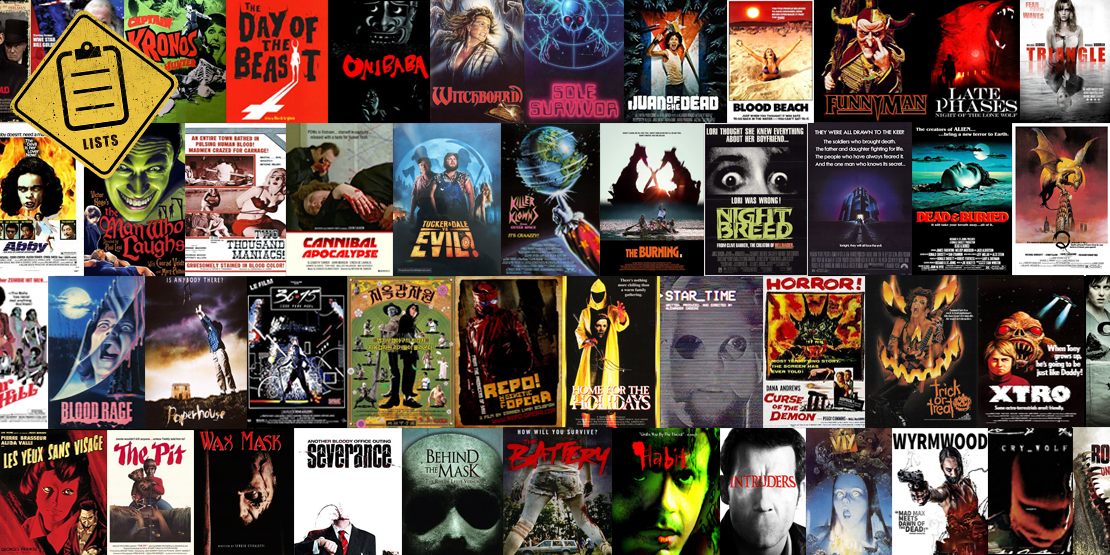
The 100 Greatest Overlooked Horror Movies "There's hundreds of thousands of [horror] movies and if you don't know where to lo...
.gif)
The.jpg)
The.jpg)
The.jpg)
.jpg)
.jpg)

.jpg)

.jpg)

.jpg)
.jpg)
.jpg)

The.jpg)
.jpg)
.jpg)